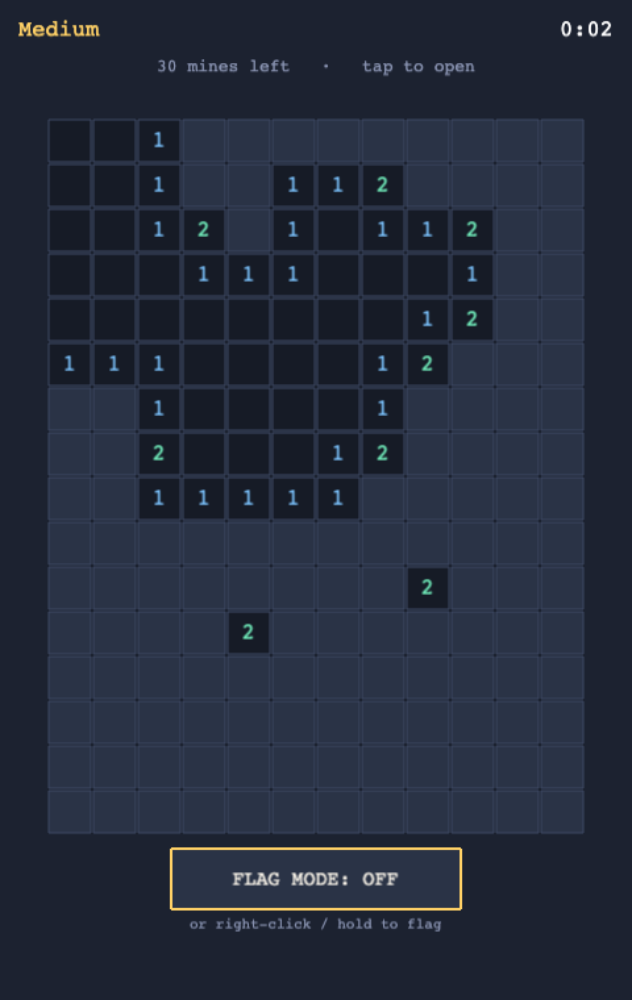
Browser game example

FIND SAFE SQUARES IN MINESWEEPER

Each revealed number tells the player how many mines touch that square. Empty spaces open into nearby cells, while flags mark places that should remain untouched until the surrounding clues make sense.

The first tap is always safe, removing the classic bad-luck opening. Easy, medium, and hard boards each keep their own best time; a mine counter can even go below zero when the player has placed too many flags.

Cleo is opening to founders in small batches. Join the waitlist and we'll save your spot.

Updated

A real screenshot of Find Safe Squares in Minesweeper

WHAT THIS EXAMPLE SHOWS

Each revealed number tells the player how many mines touch that square. Use the sample to name the audience, the main action, and the smallest useful first version. Cleo HQ then helps turn your own brief into a product plan and a working build.

QUESTIONS FOUNDERS ASK

Why is the first move always safe?

The first tap cannot reveal a mine, so a new round starts with a fair chance to learn the board. After that, numbered clues describe nearby mines and guide the player's next choice. The opening rule prevents a run from ending before the puzzle has really begun.

How can a player mark a suspected mine?

Players can flag a square with a right-click, a long press, or an on-screen toggle. Those options support both mouse play and touch screens. The mine counter shows how many flags remain, and it can go negative if the player marks too many cells.

What do the three difficulty levels change?

Easy, medium, and hard use different grids and each keeps a separate best time. A running clock lets players compare attempts at the same level. The flood-fill reveal also opens connected empty spaces together, helping a safe section of the board appear at once.