Web app example · a teacher, illustrator, creator or founder making a simple motion study

ANIMATION STUDIO: DRAW FRAMES & MAKE LOOPS

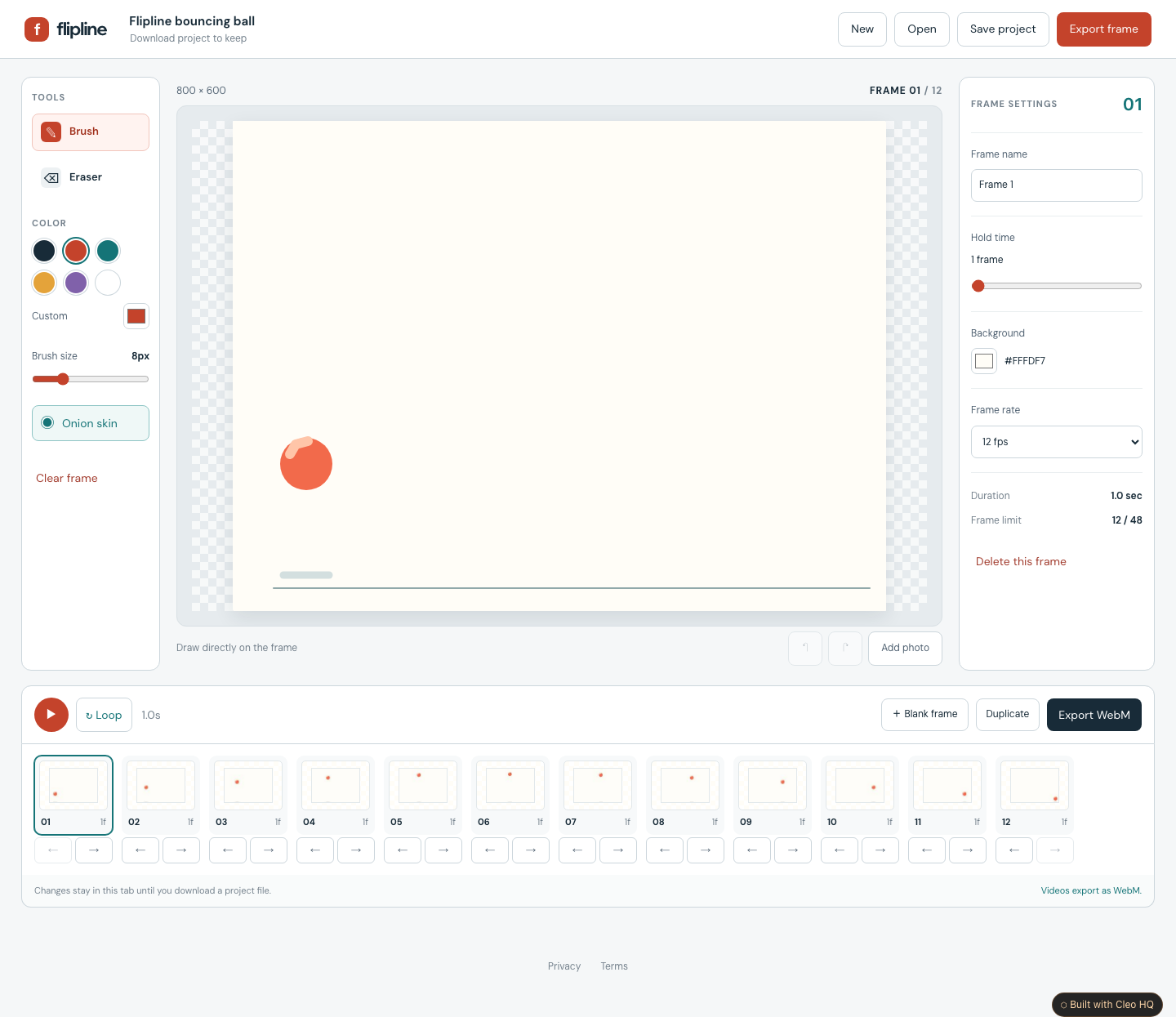
Make a small idea move. Flipline combines a clean drawing stage with a frame timeline, brush and eraser tools, and a faint view of the previous frame to help you draw the next movement. Start with the clearly labelled bouncing-ball example or a blank project.

Draw each frame or bring in local photos. Duplicate frames, adjust how long they stay on screen and preview the sequence as a loop. Download an editable backup to keep your work, a finished frame as PNG, or a short WebM video when your browser supports recording.

Cleo is opening to founders in small batches. Join the waitlist and we'll save your spot.

Updated

A real screenshot of Animation Studio: Draw Frames & Make Loops

WHAT THIS EXAMPLE SHOWS

Draw frame-by-frame animations, import photo frames, adjust timing and preview a loop. Keep editable projects and export short WebM videos in supported browsers. Use the sample to name the audience, the main action, and the smallest useful first version. Cleo HQ then helps turn your own brief into a product plan and a working build.

QUESTIONS FOUNDERS ASK

Do I need an account, and where is my animation saved?

The default studio runs in your browser without an account, database or upload. Drawings, photos and timing settings stay in the current tab. Download an editable project before closing or refreshing, then open that file when you want to continue. There is no automatic saving or cloud sync, so a project backup is the way to keep your work.

Can I export a video or an animated GIF?

The studio can record a short WebM video when the browser supports its recording tools. It checks support before starting and lets you cancel an export. GIF and MP4 exports are not included. You can also download a finished frame as PNG, while an editable project keeps all the frames and timing for future changes.

How does frame-by-frame animation work?

Each frame is a separate drawing or photo. Play the frames in order to make movement, then change the speed or hold a frame for longer to tune the timing. A faint copy of the previous frame helps you place the next drawing. The first version supports up to forty-eight frames and animations lasting up to thirty seconds.