Web app example · a residents' group, club or site team
COMMUNITY REPORTS BOARD FOR LOCAL GROUPS
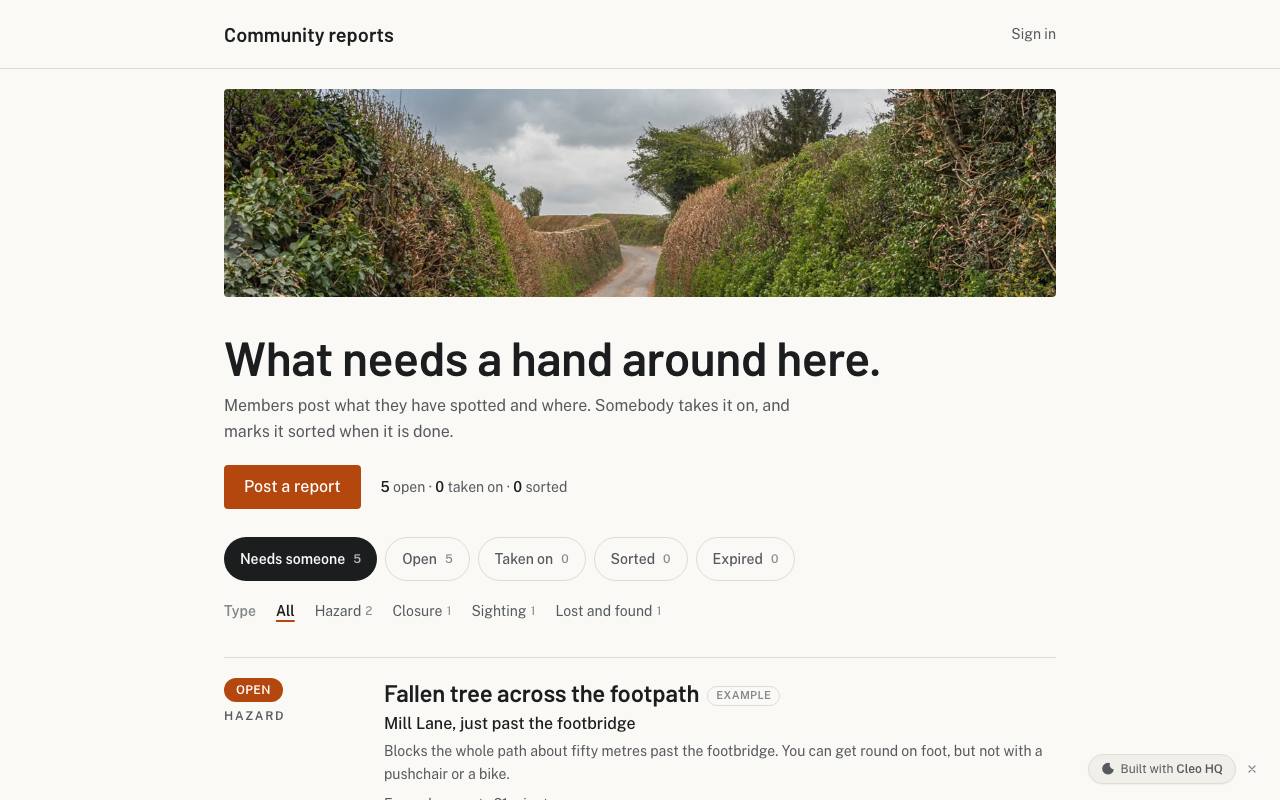
This example is a shared noticeboard for a neighbourhood, a club or a site team. Members post what they spotted and where, newest first, and anyone can press to take a report on so everyone knows it is being handled.
The owner lets people in, sets the report types, such as hazards, closures, sightings or lost and found, and chooses whether the board is public or members-only. Reports can drop off by themselves after a set time so the board stays current.
Cleo is opening to founders in small batches. Join the waitlist and we'll save your spot.
Updated
WHAT THIS EXAMPLE SHOWS
A board where members post short reports of what needs a hand and where, someone takes each one on, and it is marked sorted when done. Use the sample to name the audience, the main action, and the smallest useful first version. Cleo HQ then helps turn your own brief into a product plan and a working build.
QUESTIONS FOUNDERS ASK
What happens after someone posts a report?
It appears on the board as open. The first member who presses to take it on becomes the person handling it, and everyone can see that. When the job is done they mark it sorted. The board counts open, taken on and sorted reports so the group can see what still needs someone.
Why do reports expire?
Many reports only matter for a while, such as a closed path or a lost dog sighting. The owner sets how long a report stays up, and older ones drop off by themselves. That keeps the board about what needs attention now rather than a long list nobody reads.
Can the board be kept to members?
Yes. The owner chooses public or members-only, and approves who can post. A public board lets any visitor read the reports, while a members-only board shows them only after sign-in. Reports describe the place in words, and the person posting can add a map link.