Which equations and functions can I plot?
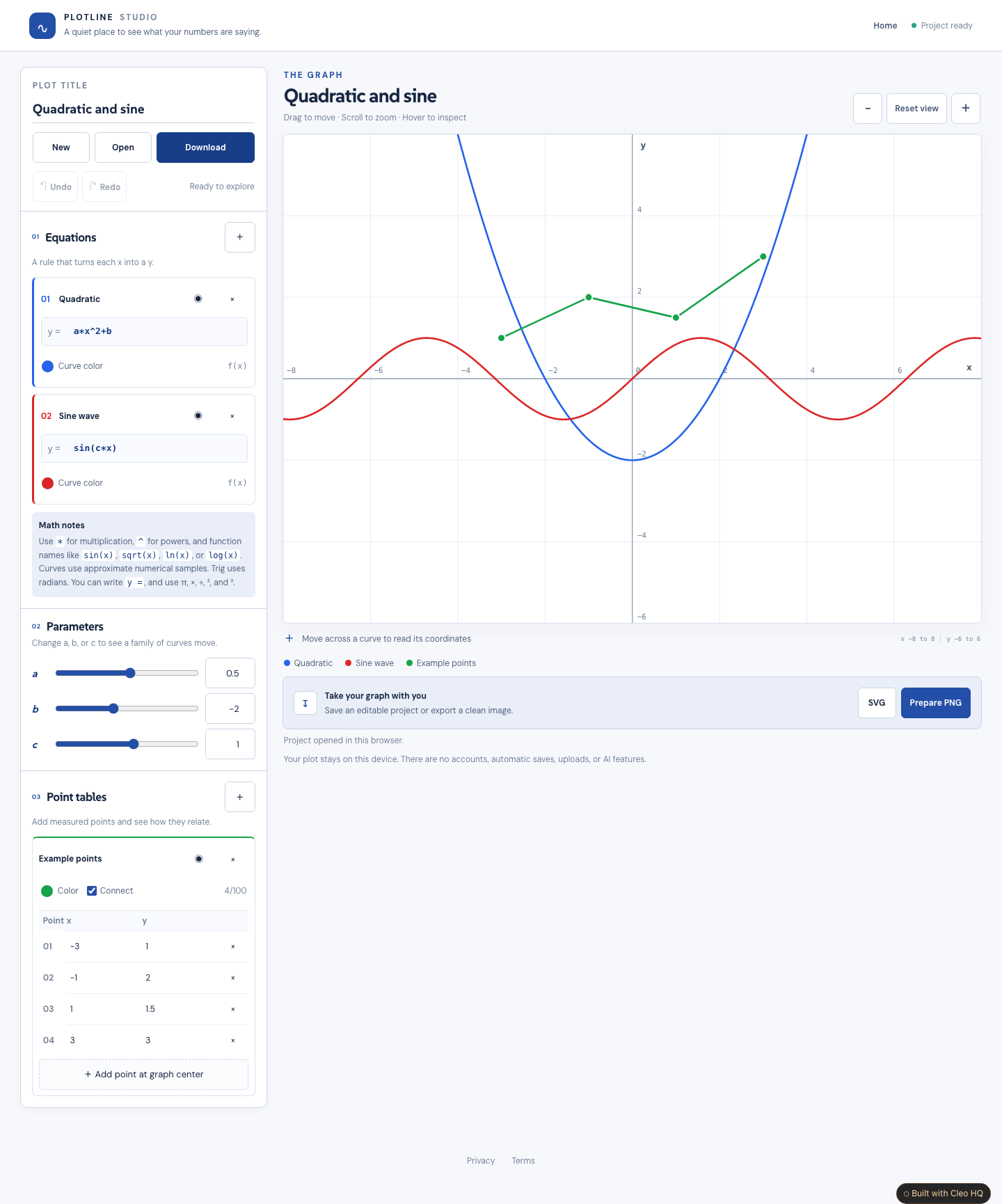
The first version plots Cartesian expressions written as y equals a function of x. Use arithmetic, powers, common trigonometric functions, square roots, logarithms and the a, b and c parameters. Trigonometry uses radians. Each equation has its own error message, so an unfinished formula does not hide the other curves. Symbolic solving, implicit equations and 3D graphing are not included.
Can I add my own points and download the graph?
Add a point table, enter x and y values, and choose whether to connect them. You can compare these points with your equations on the same graph. Download a finished SVG or PNG image when you want to use the result elsewhere. An editable project file keeps the equations, parameters, tables and graph view for further changes.
Do I need an account, and how accurate are the curves?
No account or database is needed for the default studio. Work stays in the tab, so download an editable project before closing or refreshing. Curves are drawn from bounded numerical samples and are an approximation, especially at extreme zoom or rapid changes. This is a visual exploration tool rather than a symbolic algebra system or a source of guaranteed exact solutions.