Web app example · a photographer, content creator or founder building a simple private image tool

PHOTO EDITOR: CROP, COLOUR & EXPORT

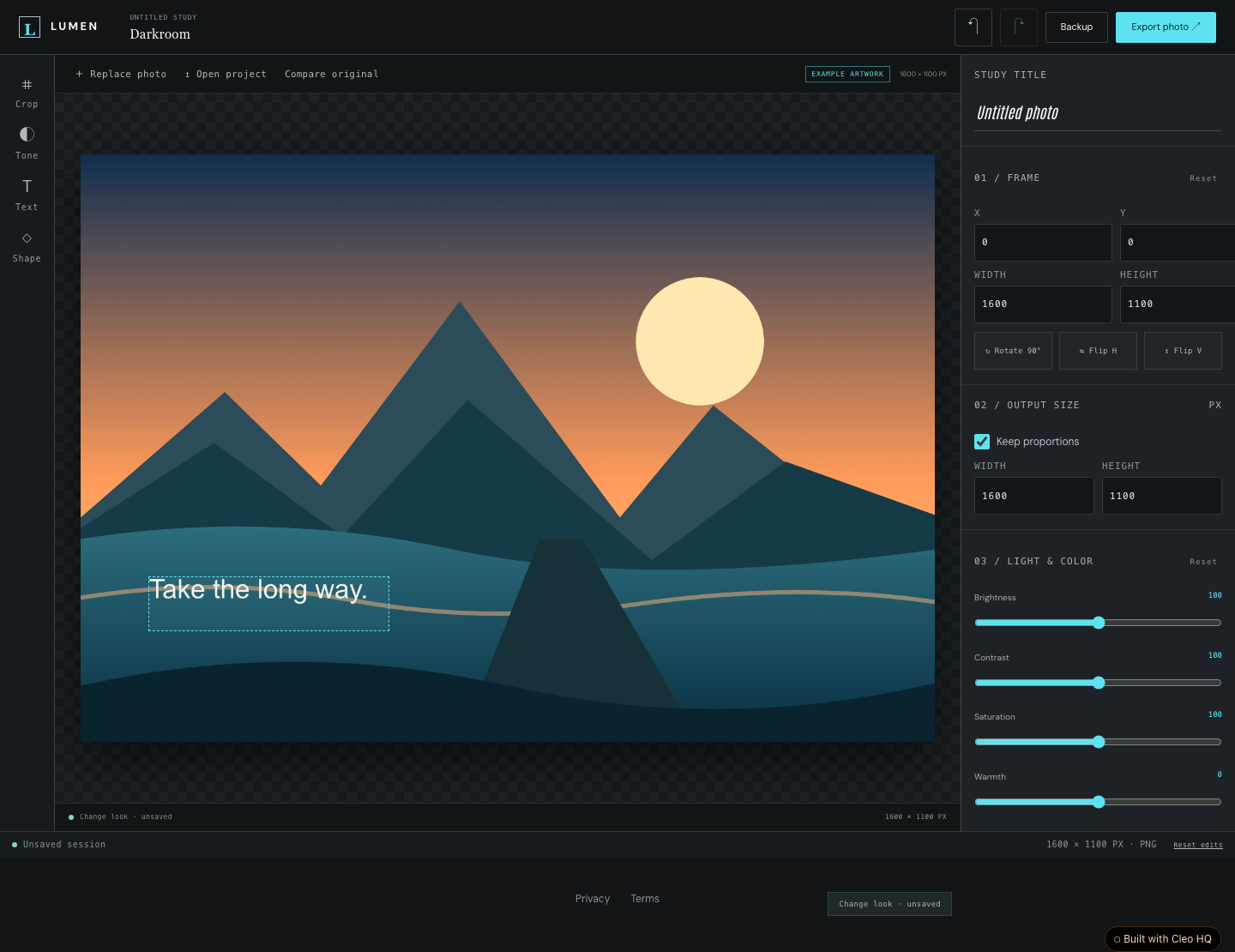
Give a photo a new point of view. Lumen is a focused browser darkroom with crop, rotation, flips, resizing, colour controls and filters. Add a title or a simple shape and compare the result with the original.

Open a PNG, JPEG or WebP image and keep editing on your device. Undo changes, download a finished image or save a project file that keeps the original image and edit settings. Work stays in the current tab, so download a project backup before closing.

Cleo is opening to founders in small batches. Join the waitlist and we'll save your spot.

Updated

A real screenshot of Photo Editor: Crop, Colour & Export

WHAT THIS EXAMPLE SHOWS

Edit photos privately in your browser. Crop, resize, adjust colour and add text or shapes, then download PNG, JPEG, WebP or an editable project backup. Use the sample to name the audience, the main action, and the smallest useful first version. Cleo HQ then helps turn your own brief into a product plan and a working build.

QUESTIONS FOUNDERS ASK

Do photos leave my device?

Editing runs in your browser. The default app has no account, database or photo upload. Work stays in this tab and is not saved automatically. Download an editable project backup before closing or refreshing. A finished image download is a separate copy; the project backup keeps the original photo and your editable settings together.

Which images can I open and download?

Open PNG, JPEG and WebP raster images. Download PNG, JPEG or WebP using the browser image encoder; unsupported output formats report an error. Input files are limited to 12 MB, decoded images to 16 million pixels and 8192 pixels per edge, and output to 4096 pixels per edge.

Can I change an edit later?

Yes. Crop, transforms, colour controls and overlays remain separate from the original image. Undo works during the editing session. Download a project backup to reopen the original and settings later. Finished image exports are flattened. RAW processing, AI retouching and background removal are not included.