Web app example · a founder, organiser or household planning a launch, event or renovation

VISUAL TIMELINE PLANNER: TASKS & MILESTONES

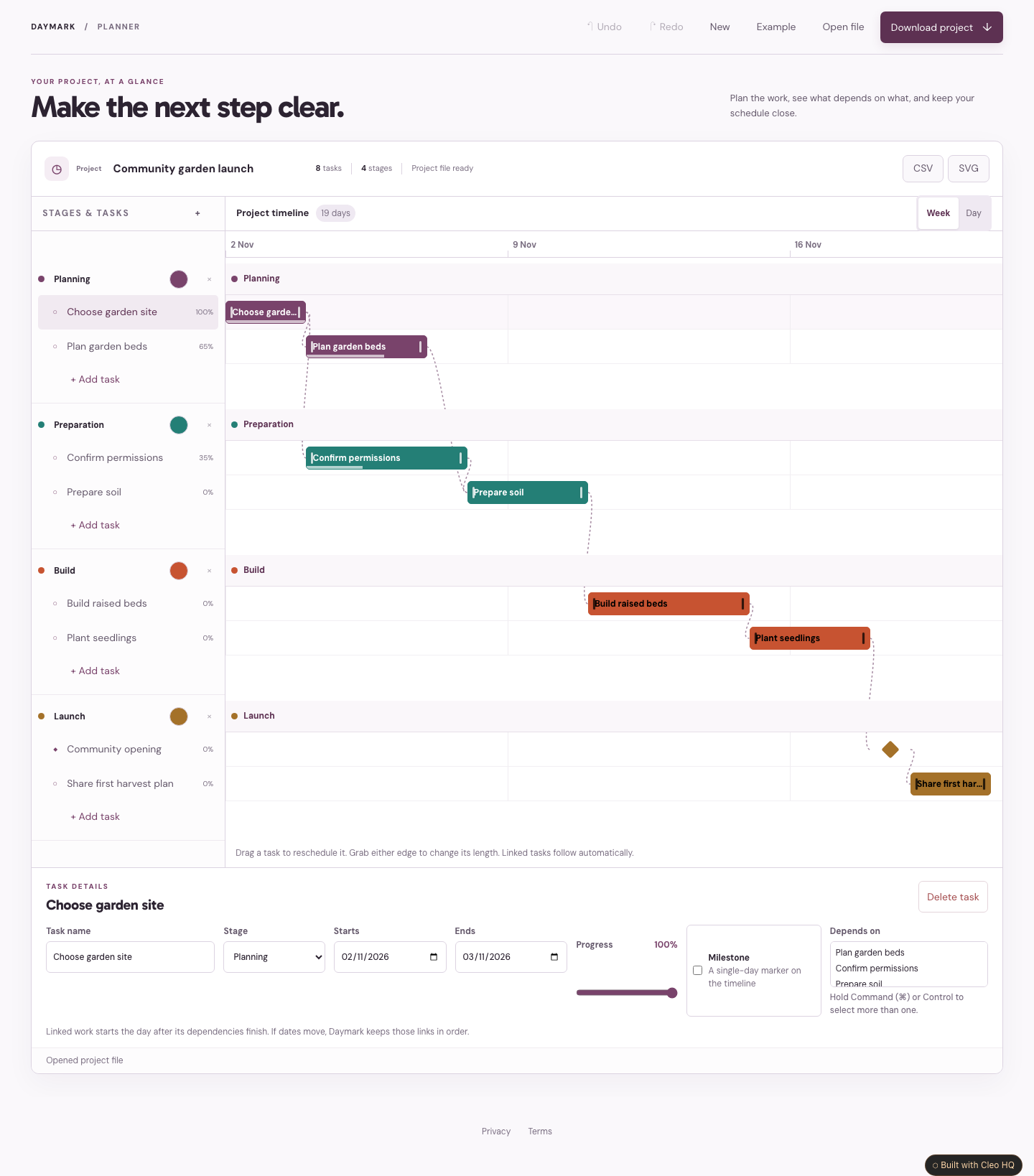
See how a project fits together before the dates get away from you. Daymark brings tasks, colour-coded stages, progress and milestones into one clear timeline. Start with the labelled community garden example, or build your own plan.

Move a task, and later tasks that depend on it shift forward while keeping their duration. Use day or week views, edit dates directly, and download a project file to continue later. The default planner runs in this tab without an account or database. Work is not saved automatically.

Cleo is opening to founders in small batches. Join the waitlist and we'll save your spot.

Updated

A real screenshot of Visual Timeline Planner: Tasks & Milestones

WHAT THIS EXAMPLE SHOWS

Plan a project on a clear visual timeline. Move and resize tasks, link their dates, track milestones and progress, and download editable plans or CSV and SVG exports. Use the sample to name the audience, the main action, and the smallest useful first version. Cleo HQ then helps turn your own brief into a product plan and a working build.

QUESTIONS FOUNDERS ASK

How do linked tasks work?

A linked task starts after every task it depends on has finished. Moving or extending an earlier task shifts later tasks forward as needed and keeps their duration. Circular links are rejected. Dates count all calendar days, including weekends; moving a predecessor earlier does not automatically pull later work forward.

Can I organise stages, milestones and progress?

Create up to sixty tasks in eight named, colour-coded stages. Set start and finish dates, mark a one-day milestone, and track each task from zero to one hundred percent. Drag and resize task bars, or use the date fields. This version does not include resource allocation, working-day calendars or critical-path analysis.

How do I keep or share my plan?

Download an editable JSON project before closing or refreshing the tab. Open that file to keep editing later. CSV exports provide a task list, and SVG exports provide a timeline image. There is no automatic saving, account, shared workspace or cloud sync in the default template.